
Workflow
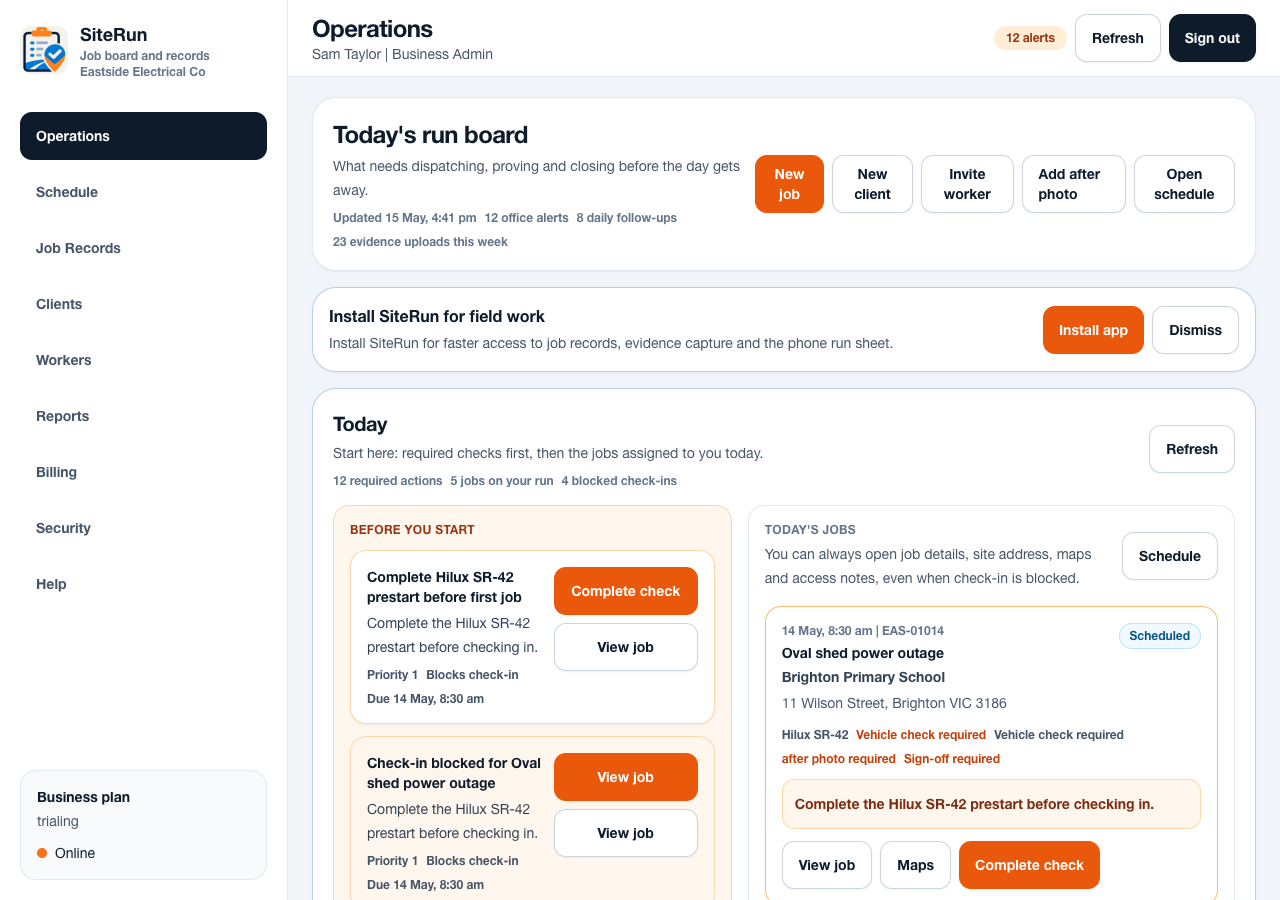
- Open the dashboard at the start of the day.
- Review jobs requiring attention before creating new work.
- Check workers onsite, blocked check-ins and missed closeout items.
- Create or update jobs with assigned workers, site notes and schedule.
- Export records or reports for completed work and weekly review.
Operational notes
- The dashboard should be used as a control board, not a decorative KPI page.
- Admins should configure rules gradually so the field team understands each requirement.
- Search, filters and exports are office tools for reducing end-of-day reconstruction.
Common mistakes to avoid
- Using SiteRun only as a calendar and leaving closeout proof in other places.
- Assigning jobs without checking site contacts or access notes.
- Turning on strict rules before explaining the worker flow.
Ready to try this workflow?
Open SiteRun, create one real job record and test the steps with the crew member who will use it onsite.