
Workflow
- Assign the vehicle or asset to the worker or job.
- Turn on vehicle readiness blocking if the business wants prestarts enforced.
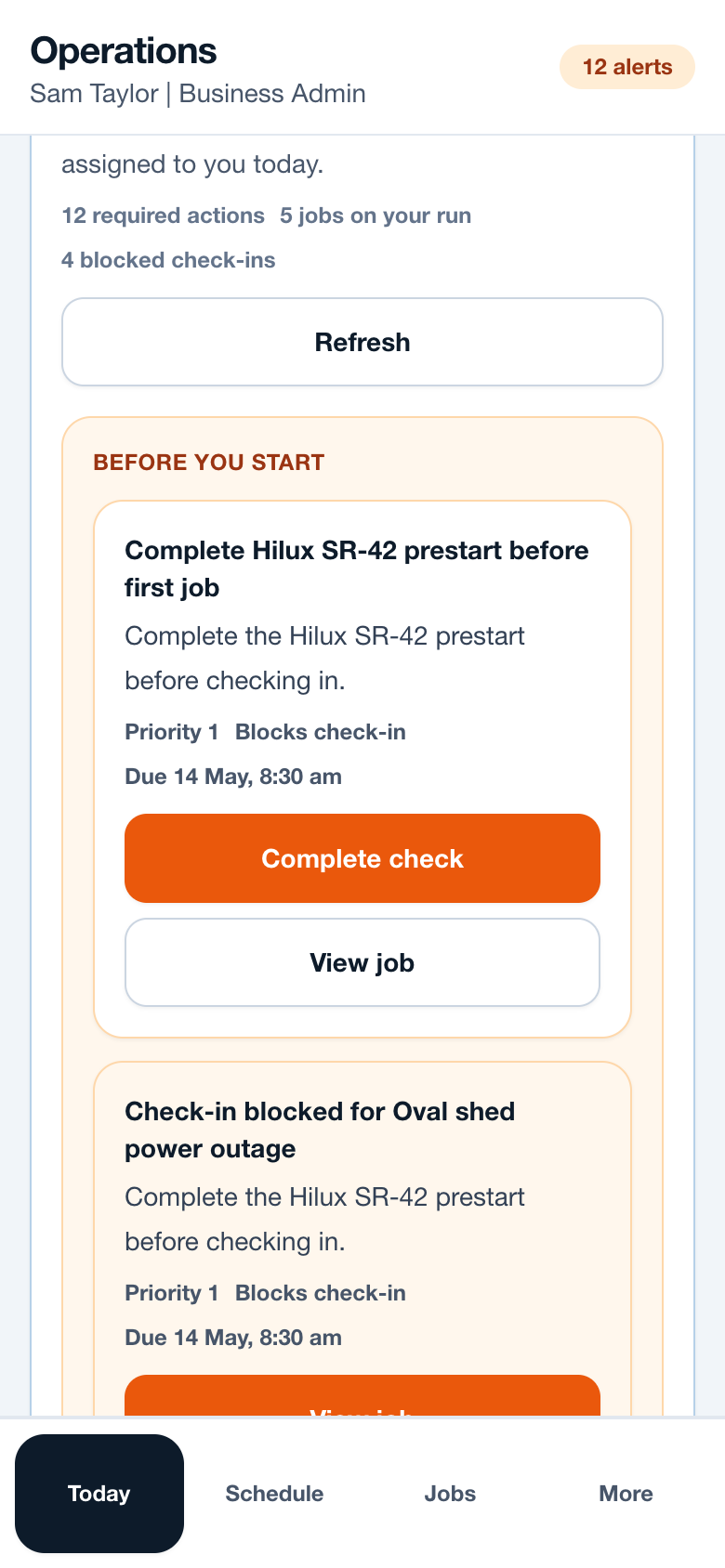
- Workers complete the check from Today before the first job.
- Critical defects keep the vehicle marked not ready until resolved.
- Admins review blocked attempts and readiness history from the operations view.
Operational notes
- Prestarts should be short enough that workers complete them before moving.
- Critical defects should stop affected check-ins until the vehicle is marked ready again.
- Vehicle rules can be disabled for businesses that do not need readiness blocking yet.
Common mistakes to avoid
- Making prestarts too long for the start of a busy trade day.
- Turning on blocking rules before workers know where to find the check.
- Treating defects as notes instead of operational blockers.
Mobile notes
- Show the vehicle name clearly, such as Hilux Ute 2, not just an asset ID.
- Keep the primary button as Complete check.
- Avoid tiny checkbox-only interactions for glove or bright-site use.
Ready to try this workflow?
Open SiteRun, create one real job record and test the steps with the crew member who will use it onsite.