
Workflow
- Install SiteRun to the phone home screen where possible.
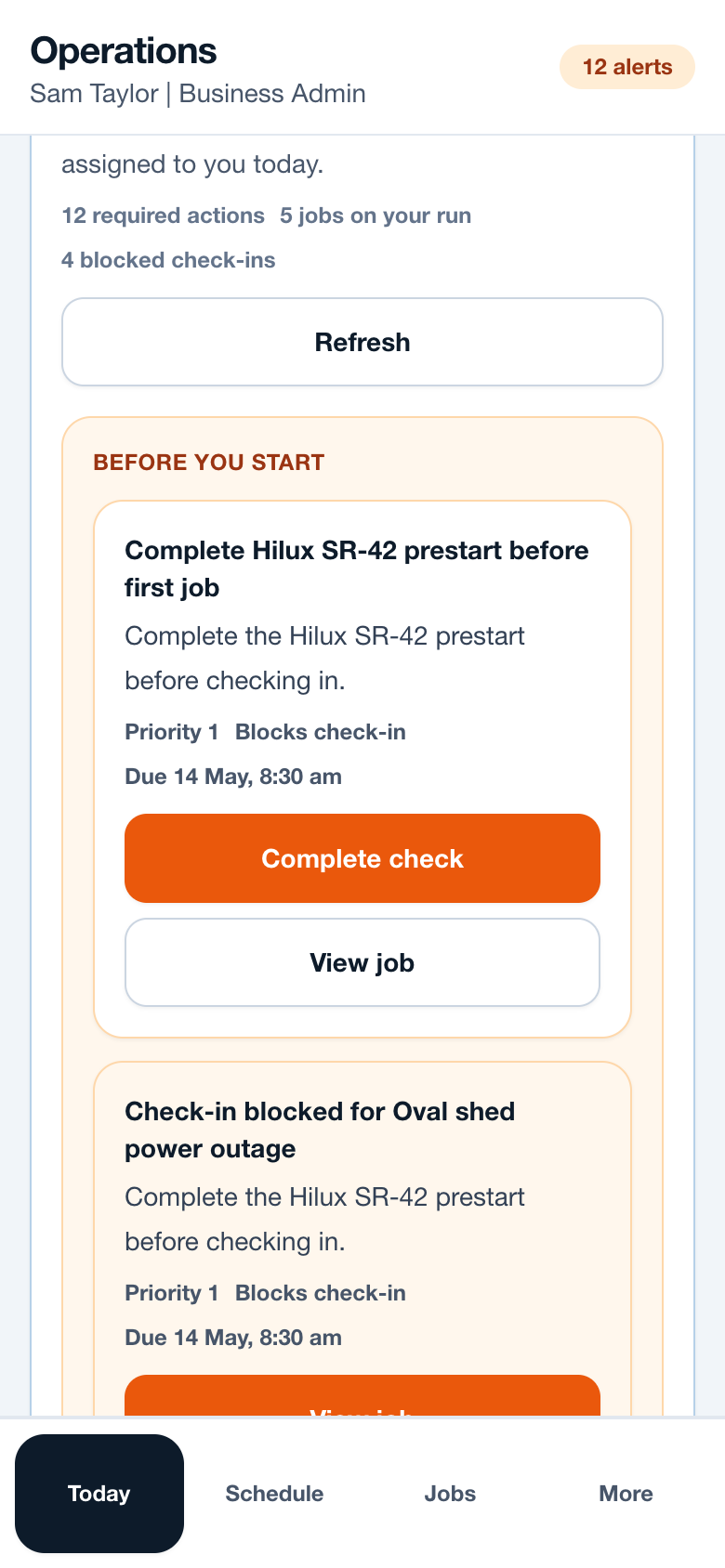
- Open Today first to see required actions and assigned jobs.
- Use More for lower-frequency sections such as Help, Security or Billing.
- Use camera upload from the job record so photos stay attached.
- Retry failed uploads when signal improves.
Operational notes
- Mobile navigation should avoid horizontal scroll strips for important destinations.
- Tap targets should remain large enough for fast field use.
- Offline or poor-signal messaging should tell workers what is safe to do next.
Common mistakes to avoid
- Using the desktop schedule as the primary phone workflow.
- Uploading photos from the camera roll without checking the job selected.
- Closing the browser before queued notes or uploads have synced.
Mobile notes
- The bottom nav is the main mobile navigation.
- The app should respect safe areas on iPhone and Android devices.
- Workers should keep job details visible even when a check-in is blocked.
Ready to try this workflow?
Open SiteRun, create one real job record and test the steps with the crew member who will use it onsite.