
Workflow
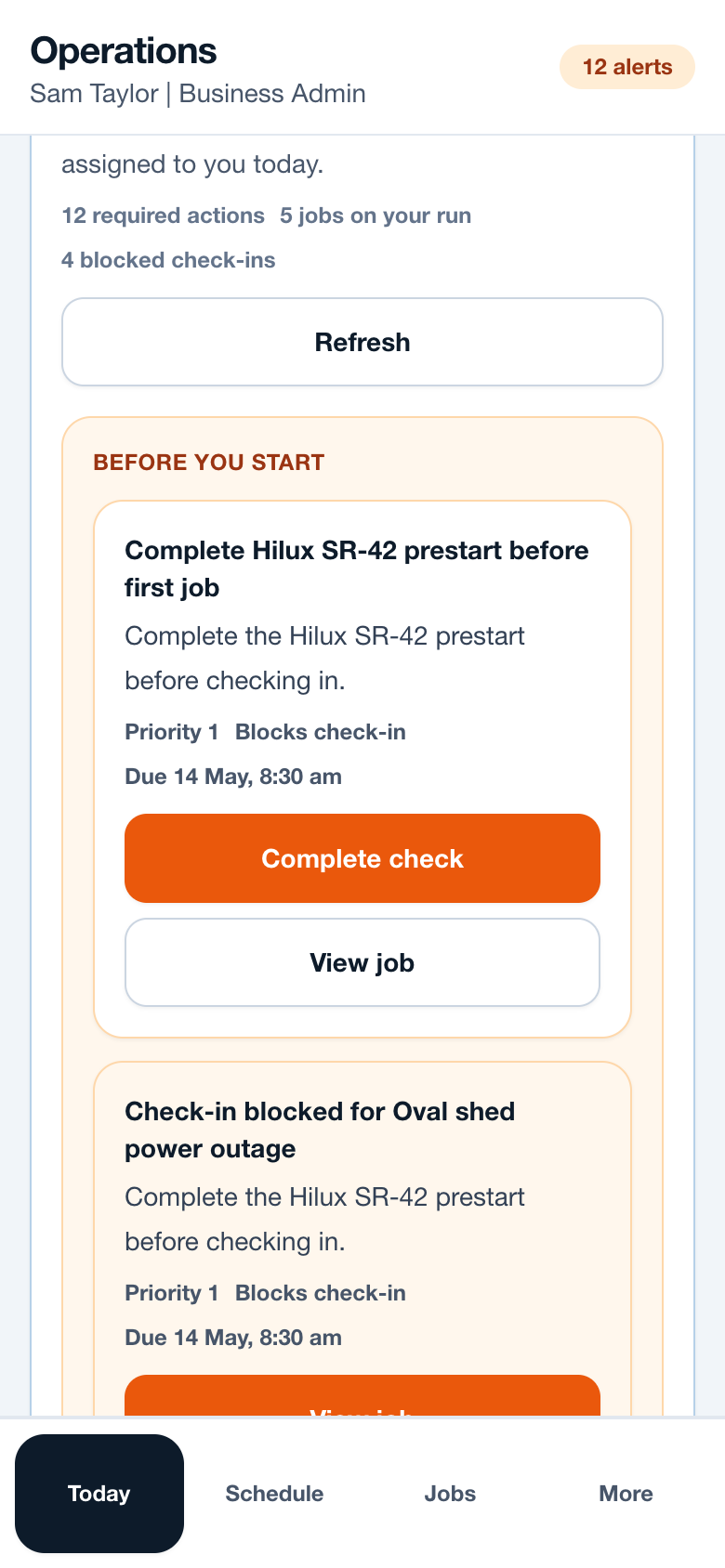
- Read the Before you start section before opening the first job.
- Complete prestarts, site readiness checks or sign-offs shown as required.
- Review today job cards for time, client, site address, assigned vehicle and readiness state.
- Open blocked jobs when you need the address, access notes or client contact.
- Return to Today after each job to see what is next or what still needs closeout.
Operational notes
- Priority one items are blocking tasks, such as vehicle prestarts or critical defects.
- Jobs starting soon should be visible below required actions so the worker can plan travel.
- Evidence or sign-off reminders appear when the job record needs more detail before closeout.
Common mistakes to avoid
- Treating Today as a notification list only. It is the run sheet.
- Ignoring a blocked reason and calling the office without reading the required action.
- Completing the job onsite but leaving photo evidence for later.
Mobile notes
- The Today card layout is designed for one-handed use.
- Blocked and ready states use plain labels, not internal rule names.
- A worker can open View job even when Check in is blocked.
Ready to try this workflow?
Open SiteRun, create one real job record and test the steps with the crew member who will use it onsite.